Photo guide · November 2026
Does a screenshot remove AI metadata?
Yes. A screenshot is a new picture of your screen, so none of the original’s AI tags come with it. You pay for that in pixels: a smaller image, compressed again, in your screen’s colours. Here’s exactly what a screenshot removes, what it costs, when the label stays anyway, and how to get the same result from the original file at full quality.
Free for 3 days · then $5 once · no subscription · Buy a licence
 clean_DSC_0412.jpg2 findings
- Content CredentialsAdobe Photoshop · Generative FillFoundRemoved
- AI source typeComposite with trained algorithmic mediaFoundRemoved
- Resolution6000 × 4000 · a screenshot keeps about 1179 × 786FoundKept
- Image data and colour profileKept · not recompressedFoundKept
Short answer
A screenshot removes AI metadata because it copies what is on the screen, not what is in the file. It also throws away most of the photo:
- Removed: Content Credentials (C2PA), the IPTC AI tag, edit history, location and camera details.
- Lost with them: resolution, the original compression and the colour profile.
- Not removed: invisible watermarks in the pixels, and labels a platform adds from its own detection.
- Full quality instead: drop the original into MetaClean and save a copy with only the AI metadata removed.
Get MetaClean freeFree for 3 days · then $5 once · no subscription
What a screenshot removes
Metadata is written into a file beside the picture. When you take a screenshot, your phone or computer doesn’t open that file at all. It saves what the screen is showing at that moment as a
Content Credentials
The signed record an editing app adds after an AI feature is used.
The AI source tag
The “made or edited with AI” field that platforms read on upload.
Edit history
Which app touched the photo and what it did.
Location and camera
GPS position, device, lens, serial number and the date taken.
That is why the screenshot trick works on the “AI info” label so often: the label is usually read from the first two of those. You can see them in your own file with our free EXIF and C2PA viewer, which reads the photo in your browser.
What a screenshot costs you
A screenshot can only hold what your screen can show. For a photo you care about, that is a steep trade:
- Resolution. A photo from a phone or camera has 12 to 50 megapixels. A phone screenshot has 3 or 4. Crop off the status bar and the app’s buttons and you have less.
- A second round of compression. The original was compressed once by the camera. The screenshot is compressed again when you post it, on top of the scaling your screen already did.
- Colour. The screenshot is saved in your screen’s colour profile, not the one your camera or editor gave the photo.
- Whatever else was on screen. The clock, a notification banner, the edge of another window.
- One at a time, by hand. Fine for a single picture. Not for a shoot of 200, and not for video.
24 megapixels in.3 megapixels out.The label is gone, and so is the photo.
The metadata was a few kilobytes. You don’t have to give up the pixels to remove it.When a screenshot doesn’t remove the AI label
A screenshot only deals with metadata. Two things are not metadata:
Invisible watermarks
Some AI generators mark the pixels themselves, with a pattern you can’t see. A screenshot copies pixels, so the mark comes along. No metadata remover takes it out either, MetaClean included.
The platform’s own detection
Instagram, Facebook and Pinterest can also decide from the picture itself. When that is the reason, changing the file’s metadata, by screenshot or any other way, makes no difference.
For a real photo that an editing app marked after one AI
The metadata a screenshot has of its own
A screenshot isn’t empty. It carries the date and time you took it, its size in pixels, and the colour profile of your display. Phones may add the device model, and the file name usually says “Screenshot” with a date. None of that is about the original photo, and none of it is read as an AI signal. If you’d rather it weren’t there, a Privacy clean removes it like any other photo’s.
The same result from the original, at full quality
What makes the screenshot trick work is that the AI metadata is missing from the new file. You can have that without rebuilding the picture from your screen:
- 1
Drop the original into MetaClean
A JPG or PNG photo, an MP4 or MOV video, or a whole folder. It runs on your Mac or Windows PC and nothing is uploaded.
- 2
See what is in it
Content Credentials, the AI source tag, location, camera and edit history, listed in plain words before anything changes.
- 3
Choose Credentials only
It removes the AI markers and keeps the rest. Choose Privacy clean to take the location and camera details out as well.
- 4
Post the
clean_copySame resolution, same colours, same compression. MetaClean checks the copy before saving it, and your original stays as it was.
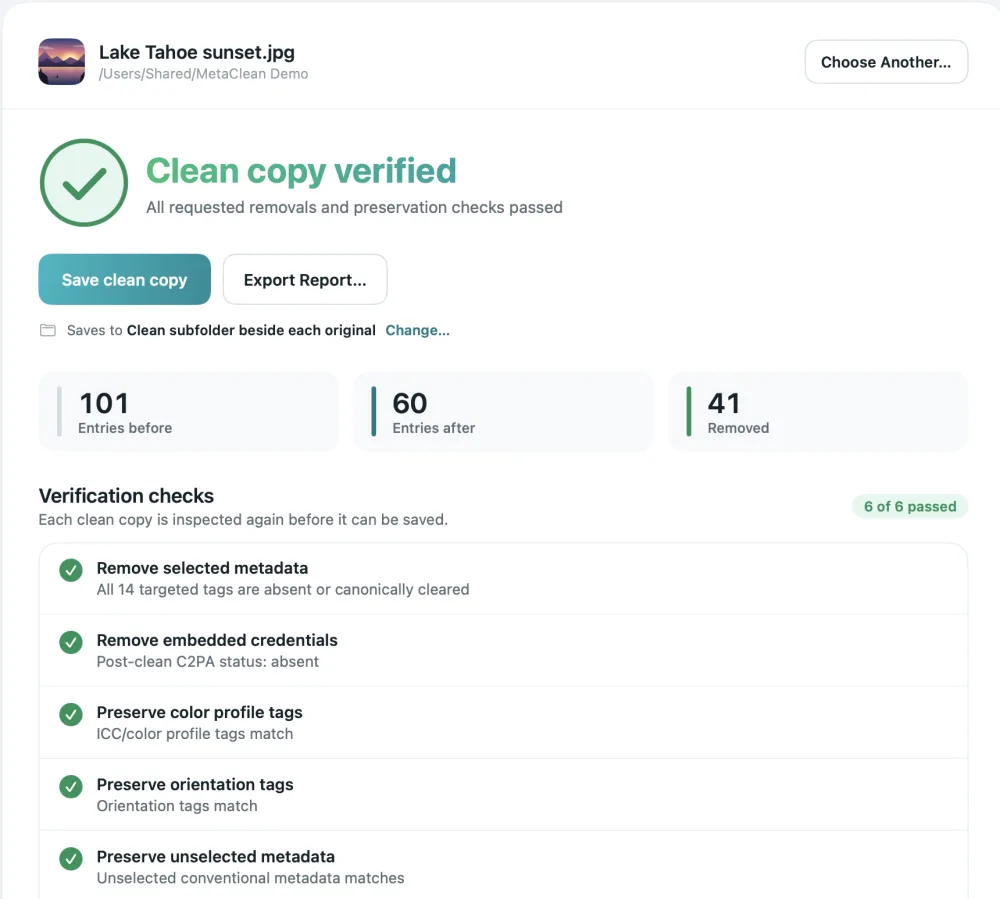
Screenshot, re-export and a clean copy, compared
Your photos stay on your computer
Online removers ask you to upload the picture first. MetaClean works on your own Mac or Windows PC: no uploads, no account, no file size limits. More about privacy →
People are asking
Can I just screenshot it?
Screenshots and AI metadata: your questions
Does a screenshot remove AI metadata?
Yes. A screenshot is a new picture of your screen, so the Content Credentials, the IPTC AI tag and the edit history of the original are not in it. What you post is a smaller, recompressed copy, though. MetaClean removes the same metadata from a copy of the original file and leaves every pixel as it was.
Does a screenshot have metadata of its own?
A little. It has its own date and time, its pixel size and the colour profile of the screen it was taken on, and some phones add the device model. It never carries the original photo’s camera, location or AI tags.
Does a screenshot remove the AI label on Instagram or Facebook?
When the label came from metadata in the file, usually yes, because the screenshot doesn’t have that metadata. When the platform’s own detection decided the picture looks
Does a screenshot remove a SynthID or other invisible watermark?
No. An invisible watermark is part of the pixels, and a screenshot copies the pixels. That is true for every metadata remover as well, MetaClean included: they remove what is written beside the picture, not what is inside it.
Does a screenshot lower the quality?
Yes. You get the size of your screen, or of the window the photo was shown in, instead of the full resolution. A
Does screen recording remove AI metadata from a video?
It gives you a new video without the original’s metadata, but it is
Is there a way to remove AI metadata without losing quality?
Yes. Drop the original into MetaClean on your Mac or Windows PC and choose Credentials only. It removes the Content Credentials and AI tags from a copy, leaves the image data untouched, and checks the copy before saving it. It is free for 3 days, then $5 once.

Lose the AI metadata.
Keep the photo.
MetaClean removes Content Credentials and AI tags from a copy of your original, on your own Mac or PC, without changing a pixel. Free for 3 days, then $5 once.
Download free trial