
For MP4 and MOV · Mac and Windows
Video metadata remover that never uploads
Remove metadata from videos right on your computer: location, device, dates, editing history and AI credentials. No upload, no re-encoding, no file size limit. The picture and sound stay exactly as they were.
3-day free trial · then $5, once · updates included



What’s hiding inside your video file
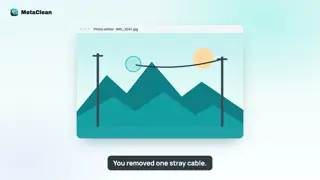
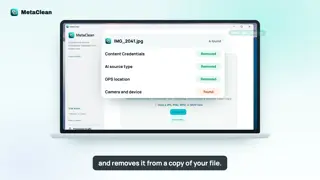
Every MP4 and MOV carries more than pictures and sound. Around the streams sits metadata: notes written by your phone, camera and editing apps. You never see it in the player, but anyone who downloads the file can read it, and platforms read it on upload. People often call all of it EXIF data, so if you were looking to remove EXIF data from video files, this is the same thing. Open each one to see where it lives:
Location
Where you filmed, down to a few metres. Phones write it into every clip by default.
Device and camera
Make, model, lens and sometimes a serial-like identifier of the phone or camera.
Capture dates
The exact date and time you pressed record, often with your time zone.
Editing software
Which app exported it and its version, plus encoder settings.
AI Content Credentials
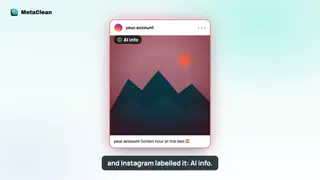
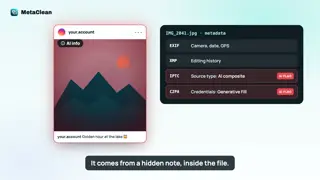
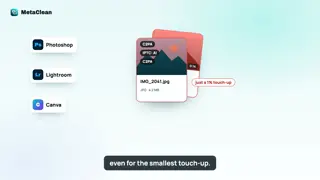
C2PA records saying an AI feature was used. This is what triggers “AI info” and “altered or synthetic content” labels.
The AI entry is the one that gets real videos labelled on Instagram, Facebook and YouTube. The rest is plain privacy: a home video posted with its location intact tells strangers where you live. See altered or synthetic content on YouTube for how platforms use it, and our C2PA remover for what Content Credentials are.
How to remove metadata from a video
MetaClean works the same on a Mac and on a Windows PC, for one clip or a whole folder of them.
- 1
Drop in the video or a folder
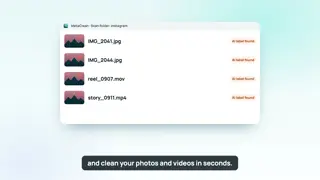
MP4 or MOV, straight from your phone, camera or editor. Scan a whole folder to clean a batch of Reels or Shorts at once.
- 2
See exactly what it carries
Location, device, dates, encoder, editing history and any Content Credentials, listed in plain words.
- 3
Choose what to remove
Privacy clean removes location, device, dates and AI credentials. Credentials only removes just the AI markers. To remove all metadata from video files, choose All removable. Custom lets you pick field by field.
- 4
Save the clean copy
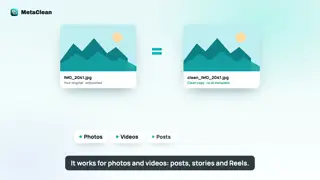
MetaClean copies the video and audio streams across untouched, checks the result and saves it next to the original. Nothing is re-encoded and nothing leaves your computer.
Remove metadata from video on iPhone and Android
Phones write the most metadata of all: location, exact time and device, into every clip. Clean them on your computer before you share or post:
Remove metadata from video on iPhone
- AirDrop the video to your Mac, or copy it to your PC over the cable.
- Clean it in MetaClean.
- AirDrop the
clean_copy back, or post straight from the computer.
Remove metadata from video on Android
- Send it to your PC with Quick Share or Phone Link, or plug in the cable.
- Clean it in MetaClean.
- Send the clean copy back, or upload it from the PC.
Online video metadata removers vs MetaClean
Searching “video metadata remover online free” brings up upload tools. For photos that’s a small ask; for video it means sending a big, private file to a stranger’s server:
| Online remover | MetaClean | |
|---|---|---|
| Your video is uploaded | Every time | Never |
| Large 4K files | Slow upload, often size caps | Any size, disk speed |
| Re-encoding | Sometimes | Never, streams copied |
| A whole folder at once | One by one | Yes |
| Removes AI credentials | Rarely checked | Yes, and verified |
| Your original | Up to you | Always kept |
The best way to protect a videois to never upload it.
Especially the unedited, full-resolution original.People are asking
Removing metadata from video
Video metadata: your questions
How do I remove metadata from a video?
Open the video in MetaClean on your Mac or Windows PC, choose what to remove (Privacy clean removes location, device, dates and AI credentials; All removable strips everything), and save. MetaClean writes a clean copy next to your original, with the video and audio streams copied as they are.
Does removing metadata reduce video quality?
No. MetaClean copies the video and audio streams without re-encoding them, so resolution, bitrate, frame rate, colour and sound are exactly the same. Only the metadata around them changes.
Which video formats does MetaClean clean?
MP4 and MOV, the formats phones, cameras, editing apps and social platforms use. That covers iPhone and Android videos, Premiere Pro, Final Cut and DaVinci exports, screen recordings, Reels, Shorts and TikToks.
How big can the video be?
There is no file size limit. Because nothing is uploaded, a 4 GB 4K clip cleans as easily as a 20-second Reel, as fast as your own disk can read it.
Does it remove GPS location from videos?
Yes. Phones store the place a video was filmed inside the file. Privacy clean removes that location along with the device model, capture dates and other personal details.
Does it remove AI metadata from videos?
Yes. C2PA Content Credentials and AI source tags written by tools such as Premiere Pro's Generative Extend or AI upscalers are removed, which is what platforms read when they add “AI info” or “altered or synthetic content” labels.
How do I remove metadata from a video on iPhone?
AirDrop the video to your Mac (or copy it to your PC with the cable), clean it with MetaClean, and AirDrop the clean copy back. On iPhone itself you can switch Location off in the share sheet options, but that leaves device, date and AI metadata in place.
Is there a free online video metadata remover?
Online tools exist, but they need you to upload the whole video to their server and download it again, which is slow for large files and puts private footage on someone else's computer. MetaClean works offline: free for 3 days, then $5 once.
Is MetaClean a video EXIF remover?
Yes. Strictly, MP4 and MOV files store QuickTime and XMP metadata rather than classic EXIF, but it holds the same kind of details: location, device, dates and software. MetaClean works as a video EXIF remover for all of it.
Is my original video changed?
Never. MetaClean always writes a separate clean copy and leaves the original file exactly as it was.

Your footage.
Nobody else’s metadata.
An AI video metadata remover and an everyday video metadata cleaner in one, on your own Mac or PC. Any size, no re-encoding. Free for 3 days, then $5 once.
Download free trial