
YouTube guide · updated 2026
“Altered or synthetic content” on YouTube: yes or no?
YouTube Studio asks about AI use every time you upload, and a wrong answer (or the wrong file) puts altered or synthetic content under your video. Here’s what the label means, the quick rule for Yes or No, and the one case where your video file answers for you.
Quick answer
- Yes if the video looks real and AI created or meaningfully changed something that didn’t happen.
- No for colour, filters, upscaling, audio cleanup, captions and other minor or clearly unreal edits.
- Check the file too. AI entries in its Content Credentials can make YouTube label it anyway, and that label can’t be undone. MetaClean removes them before you upload.
Creators are asking
Altered content: yes or no?
What does altered or synthetic content mean on YouTube?
Altered or synthetic content is YouTube’s label for video that looks real but was generated or meaningfully changed with AI or similar tools. It’s the YouTube AI label viewers actually see. It sits in the How this content was made section of the expanded description, and for photorealistic content YouTube can also show it on the player itself, where every viewer sees it before the first second plays.
Behind the label is one question in YouTube Studio. Under Details → Attributes → AI use, you answer Yes or No. Answer Yes, and the label goes on. That’s the “altered content YouTube yes or no” moment most creators search for.
On the playerPhotorealistic AI content can be labelled on the video itself.
In the descriptionMost labels live here, under the expanded description.
Altered content on YouTube: yes or no?
YouTube’s rule is short: disclose content that looks realistic and was generated or meaningfully altered. Minor, aesthetic edits and obviously unreal scenes don’t count. Based on YouTube’s own examples:
Answer No
- Colour, lighting and vintage filters
- Beauty filters and background blur
- Upscaling, sharpening or repairing footage
- Cleaning up voice or audio
- Captions, and AI help with your script, title or thumbnail
- Cloning your own voice for a voice-over or dub
- Clearly unreal scenes, like riding a dragon
Answer Yes
- AI footage of a real place that you didn't film
- A real person shown saying or doing something they didn't
- A realistic event that never happened
- Realistic AI sports, news or disaster footage
- AI-generated music
A useful test: would a viewer come away believing something happened that didn’t? If yes, disclose. If you only made the real footage look or sound better, the honest answer is No.
When your video file answers for you
Here’s the part most guides skip. YouTube doesn’t only listen to your answer. It can apply the label automatically in three cases, and one of them lives inside your file:
- 1
You used YouTube’s own AI tools
Features like Dream Screen in Shorts label the video automatically.
- 2
Its systems detect AI
If YouTube gets this wrong, you can change it back to No in YouTube Studio.
- 3
The file contains C2PA metadata
Content Credentials written by an editing app or AI tool can say AI was used. YouTube reads them on upload, labels the video, and this label can’t be changed in YouTube Studio.
You answered No.Your file said Yes.
A single AI step in your editor (a generative fill on one frame, an AI extend, an AI voice tool) can leave that note in the exported MP4 or MOV.C2PA is the standard behind Content Credentials (more in our C2PA remover guide). Adobe apps, AI video tools and some phones write it into the files they export. It’s the same system YouTube uses for its Captured with a camera disclosure, so the platform clearly reads it. For a real video with a minor AI touch, that note is the difference between a clean upload and a permanent label.
How to check a video before you upload it
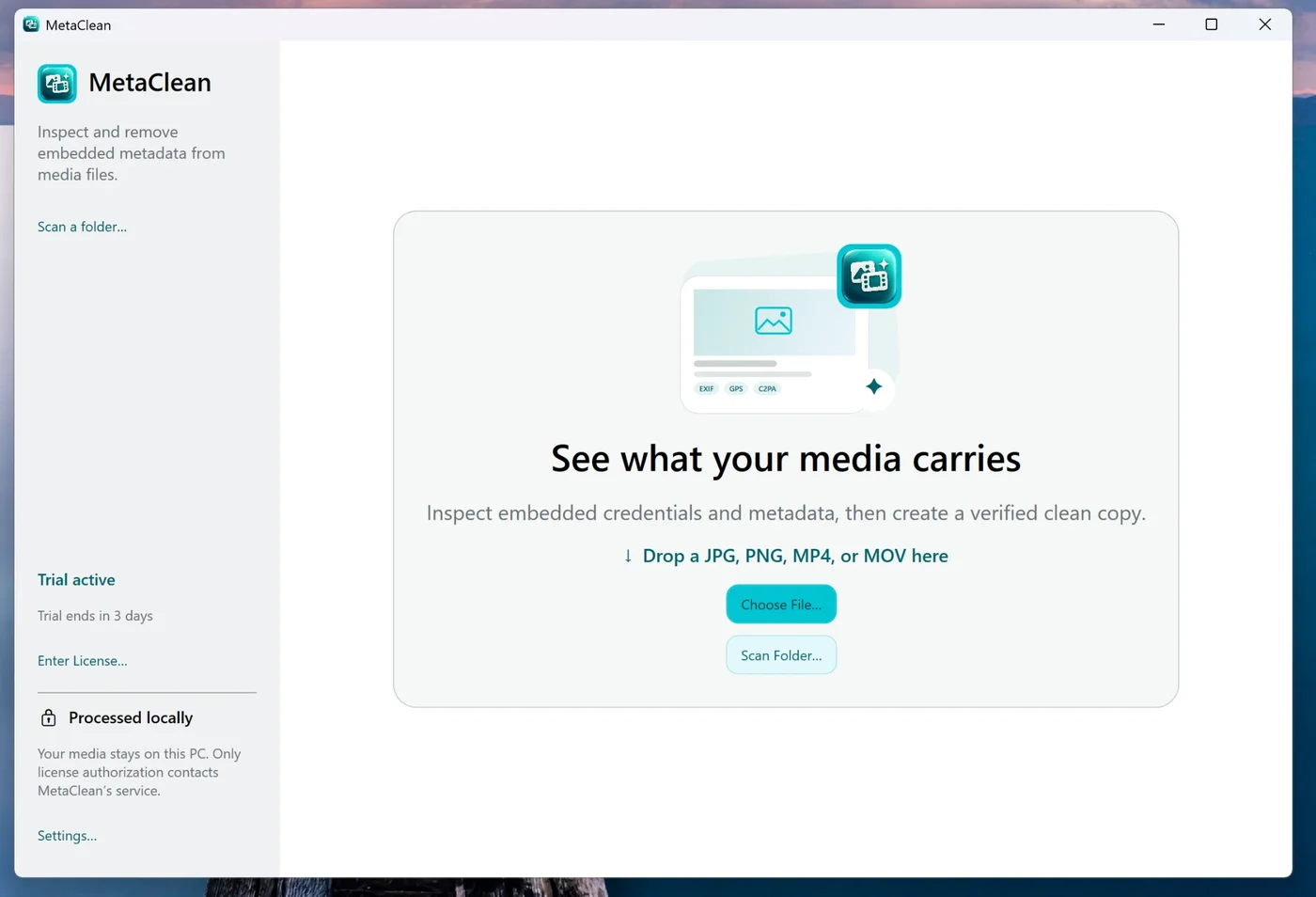
Thirty seconds before each upload saves a label you can’t take back. MetaClean, the AI metadata cleaner for Mac and Windows, reads MP4 and MOV files of any size, right on your computer. See the video metadata remover for everything it finds in a video file.
- 1
Drop your export into MetaClean
Use the final file you’re about to upload. For a batch of Shorts, scan the whole folder.
- 2
Read what it carries
MetaClean lists Content Credentials and the tools they name, any AI source tag, GPS location, camera and encoder details, in plain words.
- 3
Remove the AI entries
Credentials only removes the C2PA and AI markers. Privacy clean also drops location and device details, useful for vlogs filmed at home.
- 4
Upload the clean copy and answer honestly
The video and audio streams are copied as they are, with no re-encoding, so nothing about how it looks or sounds changes. Then answer AI use based on the content itself.
Already labelled? What you can and can’t change
| Where the label came from | Can you change it? | What to do |
|---|---|---|
| You answered Yes to AI use | Yes | YouTube Studio → Details → Attributes → AI use → No, if it didn’t qualify |
| YouTube’s systems detected AI by mistake | Usually | Follow the Studio notification and switch AI use to No |
| C2PA metadata in your file | No | Clean the original file and upload the clean copy as a new video |
| YouTube’s AI tools (e.g. Dream Screen) | No | The label stays with anything made with those tools |
| Manual review by YouTube | No | The label stays |
A re-upload starts with zero views and comments, so for an important video it’s worth doing early, and for everything after it, clean before you publish.
Does the label hurt reach or monetization?
YouTube states that disclosing AI content doesn’t limit a video’s audience or its eligibility to earn money. The risk runs the other way: creators who repeatedly skip a disclosure that was needed can get the label added for them and, in the worst cases, lose videos or their place in the Partner Program.
The real cost of a wrong label is trust. “Altered or synthetic content” under a genuine travel vlog, product review or news clip makes viewers doubt footage you actually filmed. That’s why getting both the answer and the file right matters.
Shorts
Same question, same label. Shorts made with YouTube’s own AI effects are labelled automatically; for everything else, clean the file and answer honestly.
Cross-posting
Posting the same clip as a Reel too? Instagram and Facebook read the same metadata. See AI info on Instagram and on Facebook.
Big video files never leave your computer
Online metadata tools make you upload a multi-gigabyte video to their server and download it again. MetaClean works offline on your Mac or PC: no uploads, no account, no file size limit, and your original export is never modified.
YouTube altered content: your questions
Altered content on YouTube: yes or no?
Answer Yes when your video looks realistic and AI made or meaningfully changed something a viewer could mistake for real: invented footage of a real place, a real person saying or doing something they didn't, a fake event, AI-generated music. Answer No for minor or clearly unrealistic edits: colour and lighting, beauty filters, blur, upscaling, sharpening, voice repair, captions, and AI help with your script, title or thumbnail.
What is altered or synthetic content?
The altered or synthetic content meaning in one line: realistic-looking video or audio that was generated, or meaningfully changed, with AI or other digital tools. YouTube uses the phrase for its AI disclosure label; minor edits and obviously unreal scenes are not covered.
What is altered content in YouTube?
It is YouTube's term for video or audio that was generated, or meaningfully changed, with AI or other tools in a way that looks real. When a creator marks it in YouTube Studio, YouTube shows “Altered or synthetic content” in the video's “How this content was made” section, and for some topics on the player itself.
Why does my video say “altered or synthetic content” when I answered No?
YouTube can add the label on its own in three cases: the video was made with YouTube's own AI tools, the file contains C2PA Content Credentials that say AI was used, or its systems detected AI. The C2PA case comes from your file, and YouTube does not let you switch that label off afterwards.
Can I change the altered content setting after uploading?
Yes, in YouTube Studio under Details → Attributes → AI use, for labels that came from your own answer or from a detection error. Labels that came from C2PA metadata in the file, from YouTube's AI tools or from a manual review cannot be changed there.
Does “altered or synthetic content” affect monetization?
YouTube says disclosing AI content does not limit a video's audience or its eligibility to earn money. What can cost you is not disclosing realistic AI content that needed it: YouTube may add the label itself and, for repeat cases, remove content or suspend you from the Partner Program.
Does AI upscaling or voice cleanup count as altered content?
No. YouTube lists sharpening, upscaling, repair, and voice or audio cleanup as minor edits that do not need disclosure. Cloning your own voice for voice-overs or dubs is also on its no-disclosure list.
What is the “Captured with a camera” label?
It is the opposite signal: YouTube reads C2PA Content Credentials from cameras and apps that sign real, unedited footage, and can show that the video was captured with a camera. Both labels come from the same kind of data inside the file.
How do I stop YouTube from labelling a real video because of its file?
Check the exported MP4 or MOV with MetaClean before you upload. If it lists Content Credentials or an AI source tag from your editing app, remove them with Credentials only, upload the clean copy, and answer the AI use question honestly.
Does MetaClean change my video?
No. It removes the metadata and copies the video and audio streams across as they are, with no re-encoding, so quality, length and sound stay exactly the same. Your original file is not touched.

Real footage deserves
a real label.
Check and clean your MP4 and MOV exports before YouTube reads them. MetaClean runs on your Mac or PC: free for 3 days, then $5 once.
Download free trial