Instagram guide · updated 2026
How to remove “AI info” from Instagram posts and stories
You edited a real photo or Reel, posted it, and Instagram tagged it AI info. Here’s what that label means, why it lands on real photos and videos, and how to remove AI info from your Instagram posts, stories and Reels for good.
Short answer
- Delete the post or story that shows AI info (copy your caption first).
- Open the original file in MetaClean on your Mac or PC.
- Remove the AI metadata: choose Credentials only, or Privacy clean to also drop location and camera details.
- Upload the clean copy to Instagram. No AI note in the file, no AI info label.
What does AI info mean on Instagram?
AI info is the label Instagram adds to posts it identifies as created or edited with AI. Meta launched it in 2024 as “Made with AI” and renamed it “AI info” a few months later, after photographers complained that lightly retouched photos were being labelled as if they were fully generated. The same label appears on Facebook and Threads, because all three use Meta’s system.
On a post it shows as a small AI info tag, under your username or in the post’s menu. Anyone who taps it sees a note that the content may have been made or edited with AI tools. For creators, photographers and brands that’s a problem: people read “AI” and assume the photo is fake.
Why does my Instagram post say AI info?
Instagram doesn’t look at your photo or video and guess. When you upload, it reads the metadata: the hidden information stored inside the file alongside the pixels. If the file carries an industry-standard AI marker, the post gets AI info. Two markers do almost all of it:
- Content Credentials (C2PA). A signed record that editing apps attach, listing the tools and AI features used on the file.
- IPTC “digital source type”. A single tag with values like
compositeWithTrainedAlgorithmicMediaortrainedAlgorithmicMedia, which means an AI model touched the image.
IMG_2041.jpg
Edits that add the AI info label
These tools can write Content Credentials or an AI source tag into the files they export, even when the AI edit was tiny:
| App or feature | Typical edit | What it writes |
|---|---|---|
| Photoshop Generative Fill / Expand | Remove a cable, extend the sky | C2PA + IPTC AI source type |
| Lightroom Generative Remove | Erase a stranger or a sign | C2PA Content Credentials |
| Adobe Firefly, Express | Backgrounds, generated elements | C2PA + IPTC |
| Canva Magic Edit, Magic Eraser | Swap or remove objects | C2PA or IPTC tags |
| Google Photos Magic Editor | Move people, erase objects | IPTC AI source type |
| Samsung Galaxy AI edits | Object eraser, generative edit | AI metadata in the file |
| Premiere Pro Generative Extend | Stretch a clip by a few frames | C2PA Content Credentials |
| AI video upscalers and enhancers | Sharpen or stabilise a Reel | C2PA or IPTC, depending on the app |
| AI upscalers, background removers | Sharpen, cut out a product | C2PA or IPTC, depending on the app |
99% camera.1% cleanup.100% labelled.
One AI touch-up is enough for the whole photo or Reel to get “AI info”.So a photo can be 99% real and still be labelled. That’s why so many people search “why does my Instagram post say AI info” right after posting a normal photo or Reel.
Reels get it the same way. An MP4 or MOV exported after an AI step, like Premiere Pro’s Generative Extend, an AI upscaler or your phone’s AI video editor, can carry the same Content Credentials or AI source tag. Instagram reads the video file on upload exactly as it reads a photo.
How to remove AI info from an Instagram post, step by step
The label is attached to the post because of the file, so the fix is to post a file without the AI note. Here’s how to remove AI info from an Instagram post with MetaClean. It takes about a minute, and your file never leaves your computer.
-
1
Save your caption, then delete the post
Copy the caption, hashtags and any tags you used. Then delete the post that shows AI info. For a Story, just delete the story.
-
2
Open the original file in MetaClean
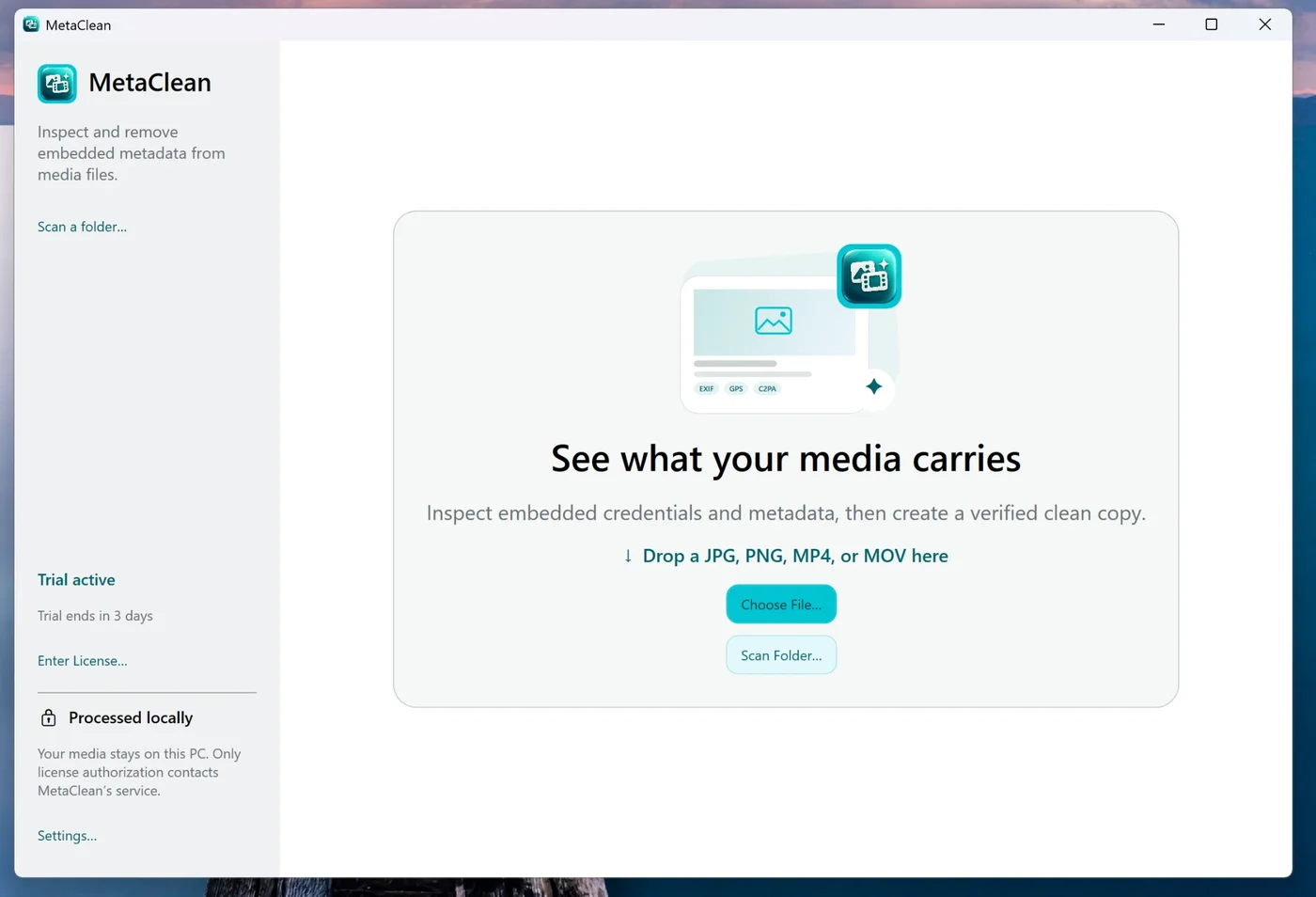
Use the file you originally posted: your export from Photoshop, Lightroom, Canva or your phone’s gallery. Drop it into MetaClean, the AI metadata cleaner for Mac and Windows, or scan a whole folder at once.
-
3
See exactly what’s inside
MetaClean lists every piece of metadata in plain words: the Content Credentials and the AI tool they name, the IPTC source type, GPS location, camera details and editing history.
-
4
Choose what to remove
Credentials only removes the AI markers and leaves the rest. Privacy clean also removes location, camera and device details. All removable strips everything, or pick fields yourself with Custom.
-
5
Save the clean copy and post it
MetaClean cleans a copy, inspects it again, and saves it only when the AI markers are gone and the pixels are unchanged. Your original stays exactly as it was. Upload the clean copy to Instagram and paste your caption back.
 IMG_2041.jpg8 findings
- Content CredentialsAdobe Photoshop · Generative FillFoundRemoved
- AI source typeComposite with trained algorithmic mediaFoundRemoved
- GPS and location44.4268° N, 26.1025° EFoundRemoved
- Camera and deviceiPhone 16 Pro · 24 mmFoundRemoved
- Editing history14 steps in PhotoshopFoundRemoved
- SoftwareAdobe Photoshop 27.1FoundRemoved
- Colour profileDisplay P3FoundKept
- OrientationRotate 90° CWFoundKept
How to remove AI info from an Instagram story, Reels and carousels
Stories
Delete the story, clean the original photo or video, and share the clean copy. Stories use the same labels as posts, so the same fix works.
Reels and videos
Videos carry metadata too. MetaClean cleans MP4 and MOV files without re-encoding, so your Reel keeps its full quality and sound.
Carousels
One edited slide is enough to label the whole post. Scan the folder with all your slides and clean them together before you upload.
How to turn off AI info on Instagram before you post
Once cleaning is part of your routine, the label never shows up in the first place.
- Clean every export before it leaves your computer. Keep an “Instagram” folder, scan it with MetaClean, and post the
clean_copies. - Leave Instagram’s own AI label switched off. When you post, Instagram offers an “AI label” toggle under Advanced settings. It adds AI info by hand, so only turn it on when you mean to.
- Post the file, not a re-save. Some apps add their own tags when they re-export. Clean the final file, the one you actually upload.
- Remove your location while you’re at it. Privacy clean also drops GPS coordinates, which many phones write into every photo.
The screenshot trick vs a clean copy
A common tip is to screenshot your own photo and post the screenshot, because a screenshot has fresh metadata. It removes the label, and a lot more with it:
| Screenshot | MetaClean clean copy | |
|---|---|---|
| Removes AI info | Yes | Yes |
| Resolution | Your screen’s size, often lower | Original, untouched |
| Colours | Can shift | Colour profile kept |
| Videos and Reels | No | MP4 and MOV |
| A whole folder at once | No | Yes |
| Removes GPS and camera details | Yes | Yes, and you choose what stays |
AI info vs turning off Meta AI on Instagram
“Turn off AI info on Instagram” can mean one of two different things:
The AI info label on your posts
This comes from your file’s metadata or from the AI label toggle. Clean your files with MetaClean before posting and leave the toggle off, and your posts go up without it.
Meta AI using your posts
This is a privacy setting about Meta’s AI features. In Instagram, open your profile menu and look for the settings that control how Meta can reuse your content (listed under sharing and reuse), and switch them off for posts and Reels.
AI info on Facebook and Threads
Facebook and Threads show the same AI info label, read from the same metadata. If you cross-post, clean the file once and share the clean copy everywhere. The label stays off your Instagram post, your Facebook post and your Threads post alike. Facebook has its own quirks, like the label hiding in the post menu and the phone-to-computer round trip, covered in how to remove AI info from a Facebook post.
Why clean on your own device
Most “remove AI label” websites ask you to upload your photo or video to their server first. MetaClean runs on your Mac or Windows PC: your photos and videos never leave your device, there’s no account, and there are no file size limits. More about privacy →
Instagram AI info: questions and answers
How do I remove “AI info” from an Instagram post?
Delete the post, remove the AI metadata from your original photo or video with MetaClean (choose Credentials only or Privacy clean), and upload the clean copy as a new post. The clean file carries no Content Credentials and no AI source tag, so there is nothing for Instagram to label.
Why does my Instagram post say “AI info”?
Because the file you uploaded contains a note that says an AI tool was used. Editing features like Photoshop Generative Fill, Lightroom Generative Remove, Canva Magic Edit or phone AI editors write Content Credentials (C2PA) or an IPTC "digital source type" tag into the file, even for a tiny fix. Instagram reads that note when you upload and adds the AI info label.
What does “AI info” mean on Instagram?
“AI info” is the label Instagram, Facebook and Threads add to posts they identify as made or edited with AI. It replaced the older “Made with AI” label in 2024. Tapping it explains that the content may have been created or edited with AI tools.
Can you remove AI info from an Instagram post without deleting it?
When the label comes from the file itself, the reliable fix is to post a clean copy: delete the post, clean the original file with MetaClean, and upload it again. Save the caption and hashtags first so you can paste them back.
How do I remove AI info from an Instagram story?
Delete the story, clean the original photo or video with MetaClean, and share the clean copy as a new story. It works the same for photos and videos (JPG, PNG, MP4 and MOV).
How do I turn off AI info on Instagram?
Remove the AI metadata from your files before you upload them, and leave Instagram's own “AI label” toggle off when you post. If you meant Meta AI using your content, that is a separate privacy setting, explained in the section on turning off Meta AI.
Does removing metadata reduce photo or video quality?
No. MetaClean removes the metadata, not pixels. It does not re-encode your photo or video, keeps the colour profile and orientation, and checks that the image pixels and video streams are unchanged after cleaning.
Does the screenshot trick remove AI info?
A screenshot drops the metadata, but it also lowers the resolution, can shift colours, adds your screen's dimensions and does not work for videos. Cleaning the original file keeps full quality and works for Reels too.
Do I have to upload my photo or video to a website to remove the AI label?
Not with MetaClean. It runs on your own Mac or Windows PC, so your photos and videos never leave your device. Most online removers need you to upload your file to their server first.
Does this also work for Facebook and Threads?
Yes. Facebook and Threads use the same AI info system as Instagram, so a clean copy posts without the label on all three.

Post your real photos and Reels.
Without “AI info”.
MetaClean removes the AI metadata from your photos and videos, right on your Mac or PC. Try it free for 3 days, then $5 once.
Download free trial